What a whisper is
An internal note attached to one conversation. It sits in the thread where the context is, in yellow, and only your team can see it.
It is not a message and cannot become one. Whispers are stored separately from everything that sends, so there is no path by which one reaches the customer it is about.
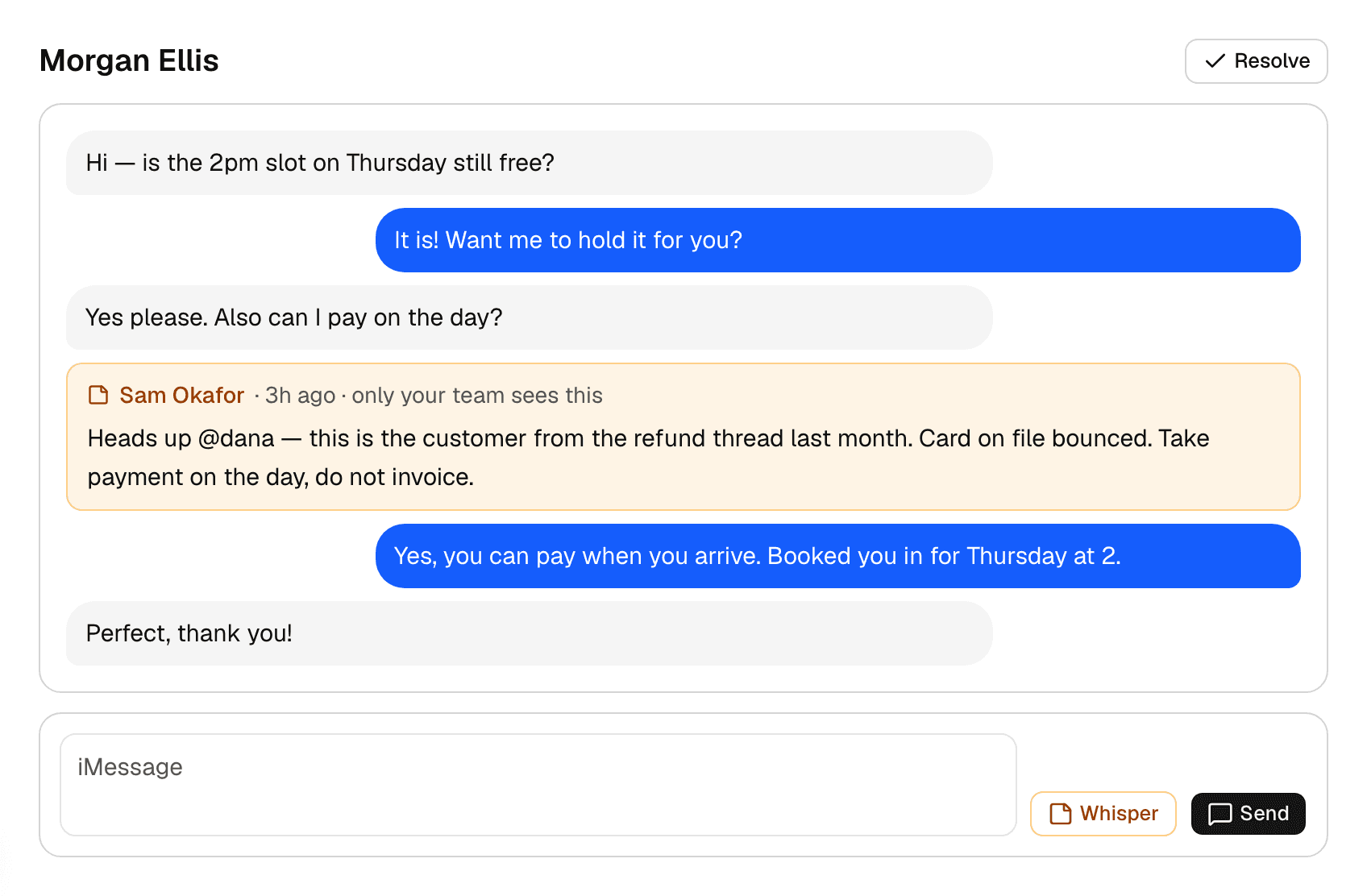
Write one
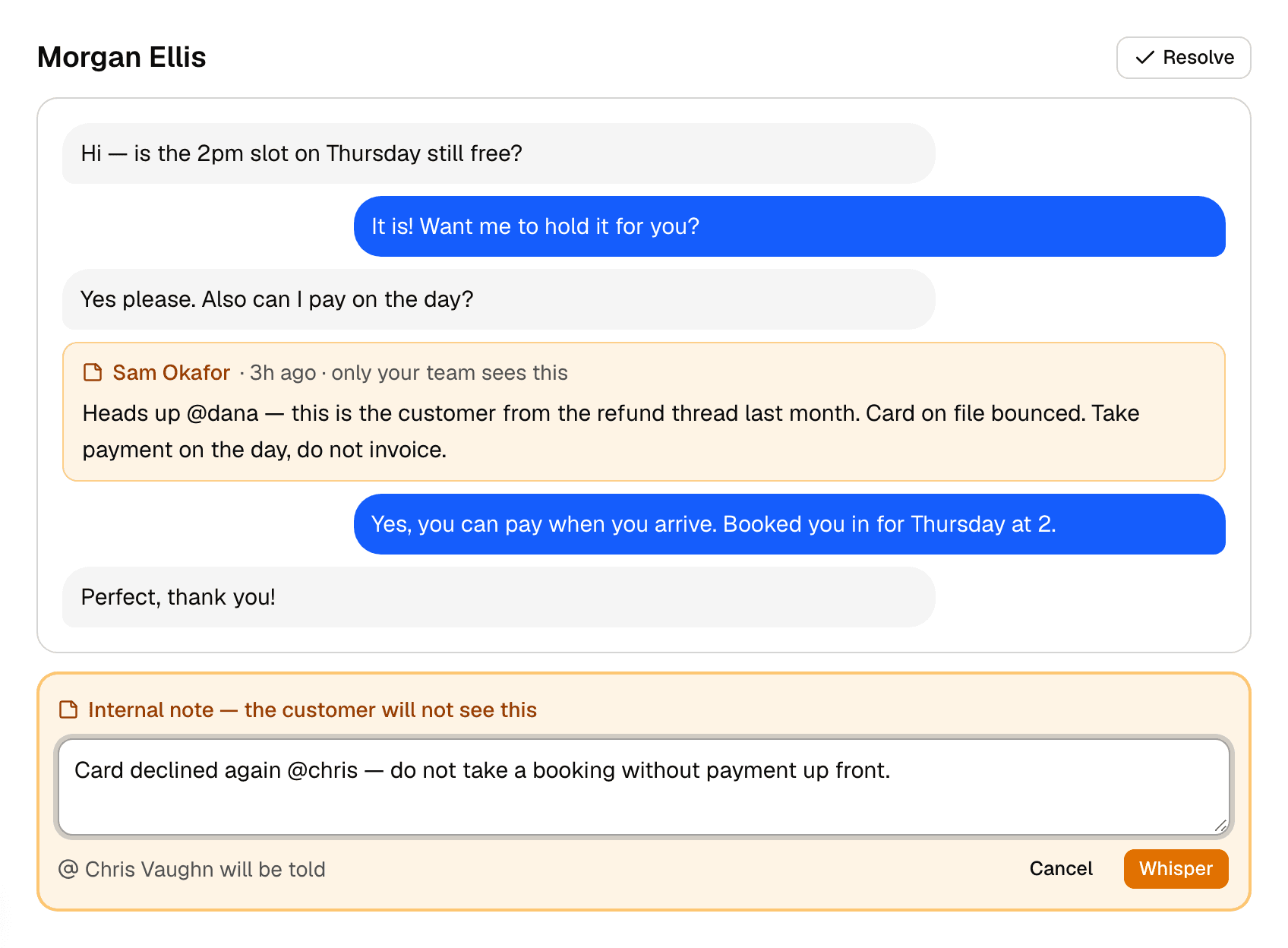
The box changes colour rather than relying on a small toggle, because the failure mode here is typing an internal note into the customer box an hour into a shift.
- Open the conversation.
- Choose Whisper beside the message box. The box turns yellow and the Send button becomes Whisper.
- Write the note. Type @ and a teammate's first name to tell them.
- Choose Whisper.
Tagging a teammate
Type @ and their first name. Before you send, the composer says who will be told.
They get a notification in the app and an email, both linking straight to the conversation rather than to the inbox.
The email does not quote the note. Whispers are what one colleague says to another about a customer, and the candid ones are the useful ones — putting that text in an email puts it somewhere nobody chose.
Removing one
Only the person who wrote a note can remove it. A note is somebody's words to their colleagues, and letting anybody delete anybody's turns the record of a handover into something that can be quietly edited afterwards.